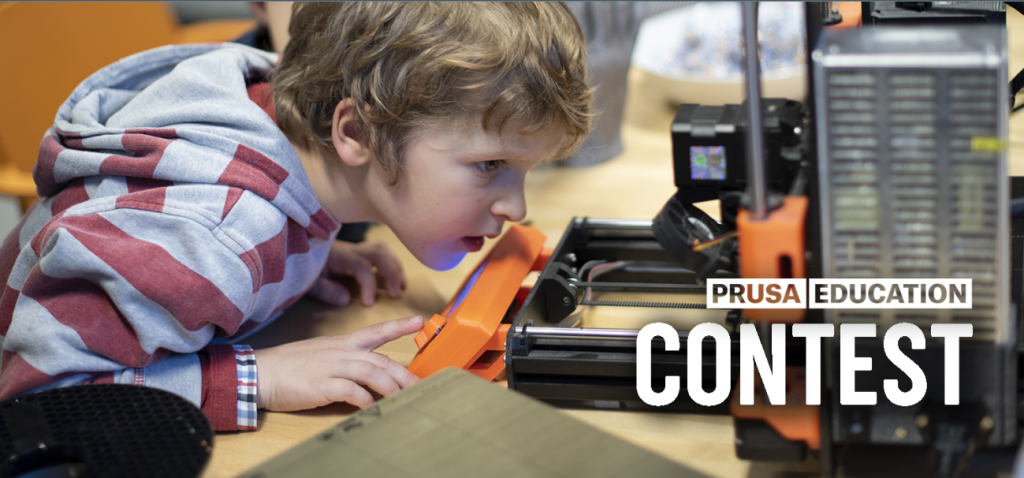
Due to budget and resource constraints, many schools find it difficult to acquire modern instruments such as 3D printers. Students are unable to engage in experiential learning and hone their design abilities due to this lack of availability. Often, people’s creative skills go unused because they lack the proper tools.
Here’s where Prusa Education Competitions come in. They offer classes and give students the opportunity to win top-notch 3D printers by submitting creative, meticulously documented projects. The winning student-led innovations that changed education forever are the focus of this blog. These great ideas can motivate your next big submission, whether you’re a student or an educator.
What Is Prusa Education, and How Does It Support Competition?
Libraries, children’s centers, schools, and colleges are some of the target audiences for Prusa Education. Students and teachers at recognized schools have access to Printables.com’s curated collection of educational resources, including lesson plans, projects, and a dedicated area. Contributed projects, such as lesson plans and 3D models, can win participants “Prusameters,” a points system redeemable for vouchers, filament refills, and other goodies.
Students contribute to the program’s structure by designing a project, documenting it with instructions and reasoning, and then publishing it publicly. This not only helps others learn but also builds submissions that Prusa can assess for contests, fostering creativity, teamwork, and real-world learning.
Major Competitions Students Can Enter
1. School Repair – “Find and Repair or Upgrade Your School”
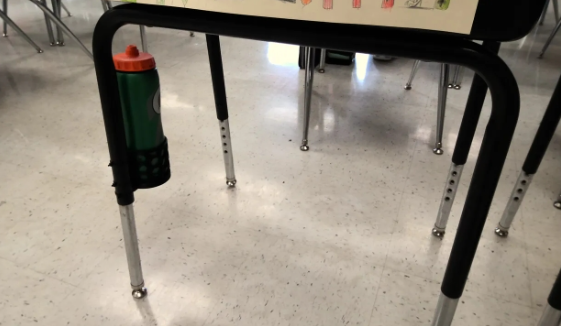
Participating kids in this Prusa Education-sponsored contest were asked to think about practical problems (such as missing or broken school supplies) and come up with 3D-printable solutions. With its innovative solution to a common problem and focus on classroom needs, the winning entry—a Bottle Holder for Desks/Tables—was a model of practicality and creativity. To show their support for sustainable repair and hands-on learning, Prusa gave that project in-kind incentives like printers and Prusament to distribute to the whole school.
Learn more: Prusa3d
2. “Mechanical Device for AlbiLAB Cube” Contest
The AlbiLAB Cube is a STEM-focused magnetic-building kit that was the subject of this contest. To go along with the cube system, participants have to come up with a mechanical add-on. The winning concept included a pair of folding blinds, a practical accessory that increases the educational value of AlbiLAB. As a token of appreciation, Prusa provided the designer with sufficient printing resources (filament or hardware) to make the accessory reproducible and suitable for usage in classrooms.
Learn more: Prusa3d
3. Snaptronics – Solder‑free Electric Circuit Construction Kit
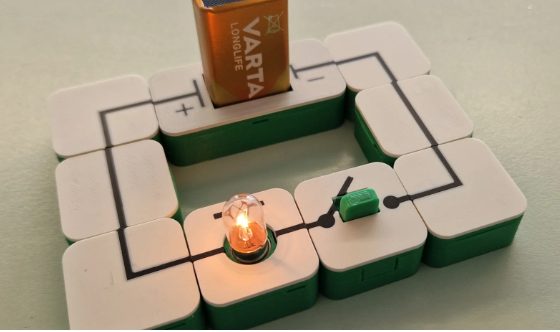
The winners of Prusa Education’s “3D printing classroom competition,” an initiative that aimed to provide classrooms with 3D printers and related educational resources, are Snaptronics. Using magnetic snap-fit 3D-printed bricks, students can construct functional circuits without soldering in this cutting-edge educational endeavor. These modular bricks allow students, beginning at about the age of 10, to safely and imaginatively experiment with electronics. In addition to enhancing fine motor skills and facilitating hands-on study of electrical concepts, the kit’s ability to reproduce any lost or broken parts helps keep expenses minimal. The simplicity, educational impact, and utility of the winning kit in classroom or maker space settings were the deciding factors.
Learn more: Prusa3d
4. Educational Tools Contest – Cylinder Lock Model by Thorin Oakenshield
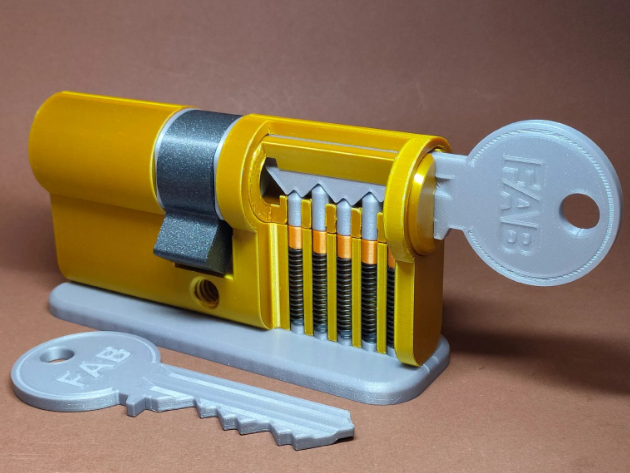
“Thorin Oakenshield” of Printables.com won first prize in the “Education Tools” competition, which was open to Prusa Education users. His contribution was a completely functional model of a cylinder lock. As an engaging tool for physics, engineering, and mechanics classes, this printable, downsized lock has actual parts like screws and springs. Each finalist was given an Original Prusa MK4S kit. Thorin Oakenshield’s idea stood out above the others because of the thorough documentation it included, the assembly instructions, photos, and a video guide, making the learning process more tactile and intuitive. The project’s uniqueness, functionality, and educational value were the judging criteria.
Learn more: Prusa3d
5. Educational Tools Contest – “Exploring 507 Mechanical Movements” by MW
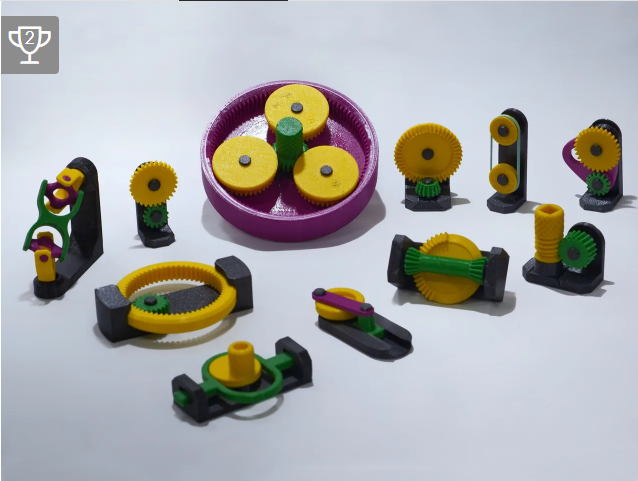
In the same Education Tools competition, MW’s “Exploring 507 Mechanical Movements with 3D Models” came in second place, boasting a wealth of information. The famous book and online resource 507 Mechanical Movements served as inspiration for MW, who turned traditional mechanisms into 3D-printable models. The instructional context, visualizations, and hands-on contact encouraged by each model make mechanical engineering an appealing subject to explore. Symbolic of both inventiveness and generalizability in the classroom, the prize for runner-up was 1,050 Prusameters, redeemable for filament or goods.
Learn more: Prusa3d
6. Mechanical Marvels Contest – Multi‑Jaw Vise by Sneaks
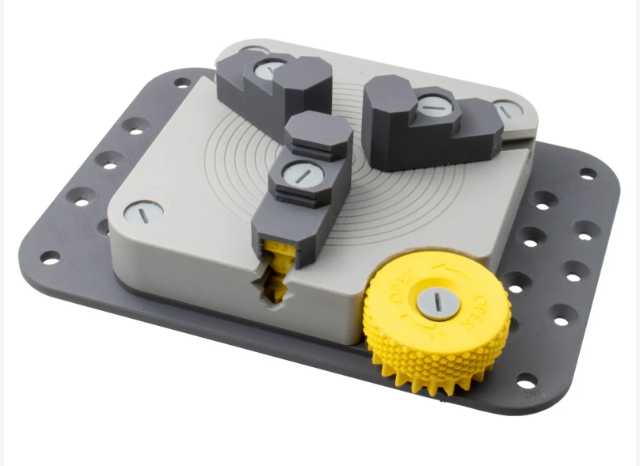
The Mechanical Marvels competition, which is not limited to the Prusa Education program, is a great way to see student and maker creativity in finely engineered models. The prize for first place is a Prusa MK3S+ kit. A bench-mount vice with interchangeable jaw combinations of 2, 3, or 4 was the winning submission by Sneaks. It was entirely printable. The fact that users can clamp in many ways using nothing more than printed pieces shows how mechanically sophisticated it is. The project’s usefulness for maker workshops and its demonstration of the complete 3D printing of complicated tool-grade hardware delighted the judges, who awarded the winner a complete Prusa MK3S+ kit for their outstanding work.
Learn more: Prusa3d
How to Participate: Step-by-Step Guidance
Step 1: Get Your School Linked to Prusa’s Learning Platform
Teachers need to register their school on the Prusa Education website before they can participate in any of the contests. This procedure confirms that your establishment is a recognized place of learning, like a school, library, or makerspace. Your school will have access to exclusive teaching materials, a gateway to submit projects, and chances to win 3D printers and other classroom equipment in contests after it’s approved.
Step 2: Explore the Project Portal and Start Planning
The educational project database, which includes submitted and winning models, is accessible after registration. If you want to know what makes an entry stand out, here is a fantastic place to look for ideas. With an eye towards innovation, practicality, and bolstering classroom hands-on learning, educators and students alike can begin to design their own 3D-printable instructional items.
Step 3: Develop Your Educational Project
Your entry must fulfil these requirements to be considered for any official Prusa Education contest:
- A minimum of one 3D-printed component is required for the project.
- You need to provide detailed written and visual documentation of the project, explaining its purpose, construction, and potential educational applications.
- In addition to the creative work, entries should have an educational goal or lesson plan. This could take the form of a scientific experiment, a practical learning exercise, or an engaging tool for educators.
- Upload the finished product to Printables.com in an easily navigable manner, including all necessary files, documentation, images, and instructions.
Step 4: Follow Contest Deadlines and Submission Requirements
Read the official rules and deadlines of each contest thoroughly before entering. Submitted projects must be viewable to the public on Printables.com for a minimum of one year after the deadline has passed. For a better chance of winning, schools might enter more than one project. Your entry will not be considered for assessment or awards unless you meet the requirements on time.
Best 3D Design Software for Education
SelfCAD can be extremely helpful for students and teachers participating in Prusa Education contests because it offers an all-in-one 3D modeling and slicing platform that’s easy to use—even for beginners. With its browser-based interface, students can design complex educational tools, mechanical parts, or classroom aids without needing to install any software. It also includes built-in tutorials and features like sculpting, measurements, and real-time previews, making it ideal for creating precise, printable models that meet contest requirements.
Revolutionizing Learning Through Prusa’s Competitions
Students and teachers can participate in Prusa Education Competitions, which provide a fun doorway to learn about 3D printing, discuss ideas, and win classroom bundles, filament, and printers. These challenges provide a great avenue to combine imagination, technology, and learning in a practical way, whether you’re making a mechanical wonder, an instructional tool, or a collaborative classroom project.
Participating in these contests gives students more than just a printer; it gives them self-assurance, acknowledgement, and a launchpad to be a part of a worldwide community of educators and creators.